⌁
Repository Library
Save GitHub repositories and local copies in one organized library.
Bow Git Vault is a local-first Windows Git repository manager for organizing repositories, checking status, reviewing changes, browsing files and branches, and working with GitHub projects from one desktop app.
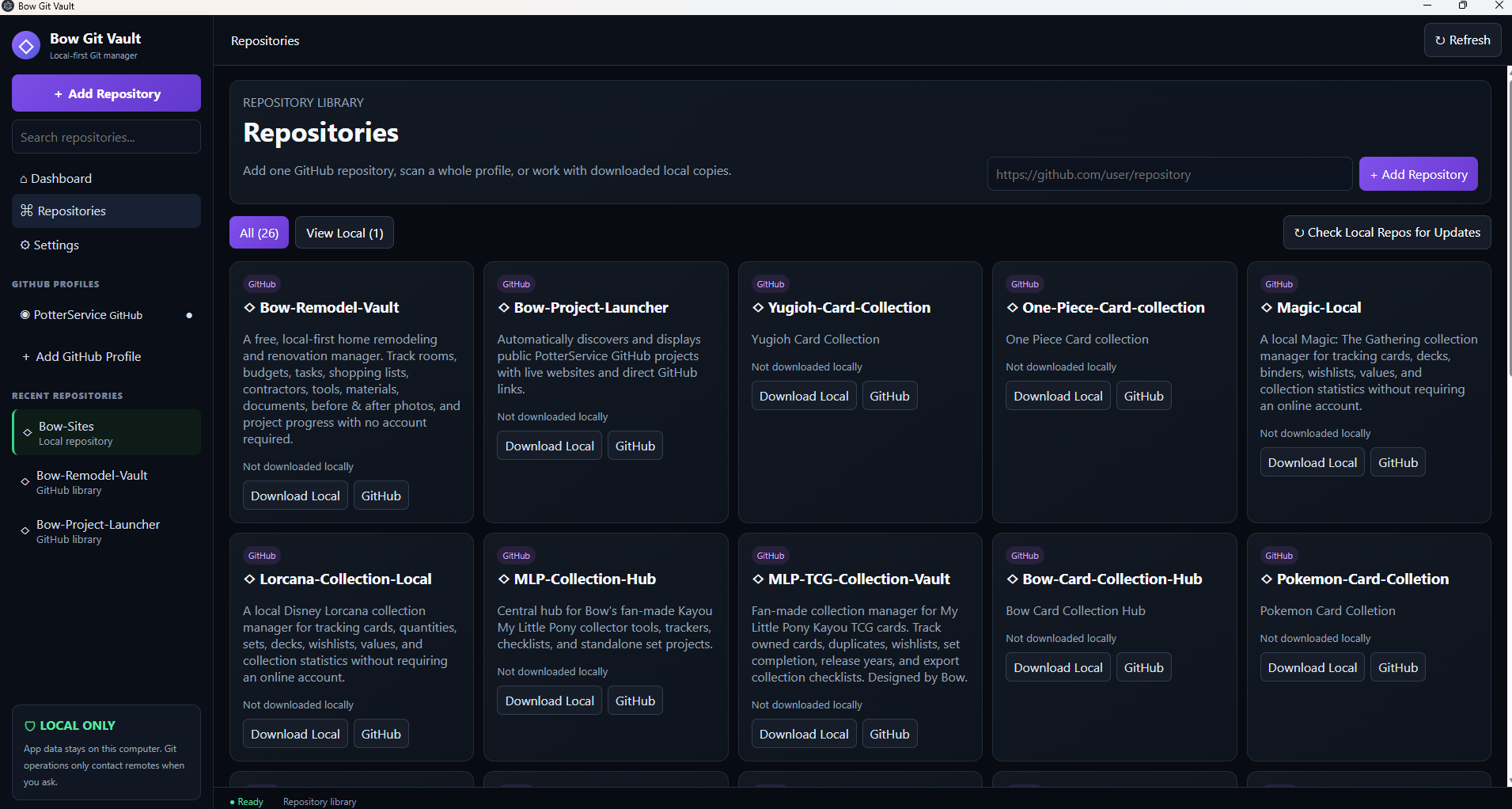
Save GitHub repositories and local copies in one organized library.
Keep downloaded repositories in a dedicated repos folder.
Identify local repositories with newer remote changes.
View repository information in a cleaner overview.
No Bow cloud account is required for the prototype.
Install Bow Git Vault on Windows with the current GitHub release. Once installed, Bow Git Vault can check for newer application releases and install available updates.
Bow Git Vault is open on GitHub. You can view the source, browse release history, discover other Potter Service projects, or follow Bow on Facebook.
Screenshots on this website come from the first working prototype. The version you download or use may look different and may have features added, changed, moved, or removed. Experimental controls visible in screenshots are not promises of final functionality.
The first working prototype uses clear areas for the Dashboard, Repository Library, GitHub Profiles, Settings and a full workspace for downloaded repositories.
Scan a public GitHub profile or save one specific repository URL.
Clone selected projects into Bow Git Vault's local repos folder.
See README content, repository status, commits, files, branches and remotes from one workspace.